
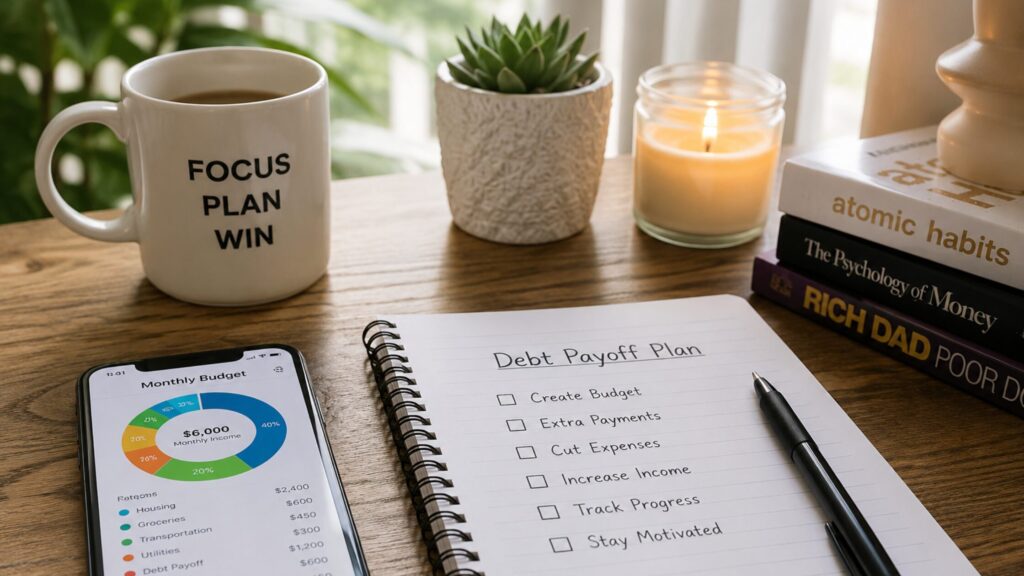

When I really started tracking my money, I started with a notebook. Next came Google Sheets. Finally, I moved on to testing good budgeting apps because an app goes wherever I go.
When I buy gas, grab lunch, or spend $12 on something small, I can log it right then and there. I love that!
I’m not going to throw twenty money tools at you and pretend that helps, or that they’re the only things that’ll work for you. You know yourself best, so you’ll need to figure out what works for you. I want to share some great options from my experience and personal research.
These apps make sense for real life, not the imaginary version of me who updates spreadsheets nightly with tea and a peaceful little mantra.
So, I stopped guessing and started somewhere practical. Here are the tools I’d consider first.
WalletHub
WalletHub is first on my list of good budgeting apps. It helps with the bigger financial picture, not just daily spending. And I use it more as a credit, debt, and financial cleanup tool, which matters when old money choices are still hanging around.
Highlights
Pros
- Free credit score and credit report tools
- Helpful credit alerts and score simulator
- Shows debt that may affect your credit
- Useful for financial cleanup and motivation
Cons
- Free credit details focus on TransUnion
- Credit card offers may be tempting if you’re struggling
- Premium budgeting features cost extra
What I like about WalletHub is that it shows what’s on my credit report and how debt may be affecting my credit scores. It offers free credit report tools, including TransUnion credit report information, daily credit score updates, monitoring, and a credit score simulator. I also like seeing accounts close as I pay them off. That keeps me motivated because I can finally see the cleanup working in my favor.
One warning, though: I’m not wild about credit card offers when you’re already struggling. Credit cards can feel like a rescue, but you’re borrowing against your future with interest and fees attached. I’ve made that mistake, and I’m still paying off one final card from past choices. I’d use WalletHub if debt, credit cleanup, and better money awareness are part of your bigger budget mess.

EveryDollar
EveryDollar is one of these are the good budgeting apps I’d choose if I needed structure, clear categories, and a better way to track spending. It’s built around giving every dollar a job before that money wanders off and buys another book for my “to read” pile.
Highlights
Pros
- Gives every dollar a clear job
- Includes charts and spending overviews
- Premium includes debt payoff tools and learning resources
- Good fit if you like zero-based budgeting
Cons
- Premium costs extra
- May feel too structured if you prefer loose tracking
- The free version requires more manual work
What I like most is the zero-dollar budgeting setup. You assign every dollar somewhere: groceries, utilities, housing, transportation, savings, debt payoff, or miscellaneous spending. That structure works for me because guessing was the problem.
EveryDollar’s premium version includes automatic transaction tracking, personalized recommendations, debt payoff tools, expert coaching, and live training. Its current official pricing is $17.99 per month or $79.99 per year. Check the price before signing up because app pricing changes. I’d start with EveryDollar if you want clear directions on where your money goes before it wanders.
Rocket Money
Rocket Money belongs on my list, especially if subscriptions are part of your spending problem. They were for me. Sneaky subscriptions feel small until you add them up and wonder how that much money slipped out so quietly.
Highlights
Pros
- Helps find and manage subscriptions
- Tracks spending and budgets in one place
- Can help cancel unwanted subscriptions
- Useful if recurring charges keep surprising you
Cons
- Some features may require a paid plan
- Subscription cancellations may not fit everyone
- Less ideal if you want strict zero-based budgeting
Rocket Money helps users manage subscriptions, create a custom budget, track monthly spending, and cancel unwanted subscriptions. Its subscription management feature is what would have helped me most back when forgotten recurring charges kept draining my account.
Those little leaks never looked dramatic on their own. They were more like tiny paper cuts to my checking account: annoying, easy to ignore, and somehow still painful. I’d use Rocket Money if your budget keeps getting nicked by subscriptions, surprise bills, or small recurring charges.
YNAB
YNAB is for people who want a more hands-on budgeting system. It’s not the lazy river of budgeting apps. It’s more like, “Hold my coffee because we’re fixing this now.”
Highlights
Pros
- Built around giving every dollar a job
- Helps plan ahead before spending
- Strong fit for serious budget reset seasons
- Imports transactions and tracks spending
Cons
- Paid app after the trial
- Takes more effort to learn
- May feel intense if you want simple tracking
YNAB’s method is built around assigning dollars to categories based on what’s important and when bills are due. You can connect accounts, track spending, create a debt plan, and set goals. You can also visit the YNAB website and register for a free live workshop. I’d use YNAB if you’re ready for a deeper budget reset and don’t mind being more involved. I wouldn’t start here if you’re already overwhelmed and need to get your feet under you first.

Google Sheets
Google Sheets is the tool I’d recommend if you want something free, simple, and fully in your control. It’s not flashy, but it can work if you like spreadsheets. I think most people today are familiar with, and have likely used Google Sheets or Docs at least once. But I’ll drop the link below just in case you need it. Just remember that you’ll need your Gmail login to access it.
Highlights
Pros
- Free if you already use Google tools
- Flexible and easy to customize
- No bank connection required
Cons
- Requires manual tracking
- You have to build or find a template
- Easy to forget purchases when you’re away from home
Google Sheets can work beautifully if you know your way around spreadsheets. You can create categories, formulas, totals, and charts without connecting your bank account to anything. The downside is that you have to remember to log every purchase. For me, Google Sheets was better than guessing, but it still depended on my memory. And apparently, my memory is not a certified financial tool.
What To Read Next (Because You’re On A Roll)
- How to Make a Budget That Survives an Emergency: My Trench-Tested Guide
- How To Build An Emergency Fund When Money’s Tight
- How to Cancel Subscriptions Without Missing What You Love
- 7 Easy Steps to Financial Freedom This Year
- 11 Genius Money Hacks To Save More Cash


My Best Pick For Tracking Spending
Of all these good budgeting apps, my best pick is WalletHub because my money mess wasn’t only about daily spending. It was old debt, fees, credit questions, and past choices still following me around. WalletHub helps me see that bigger picture.
EveryDollar is my close second because it gives money clear directions before it disappears. But the right choice depends on what you need most: credit cleanup, strict budgeting, subscription control, or a free manual option.
Start small. Pick one tool, and use it for one month. Open it daily, even when the numbers are annoying. Especially when the numbers are annoying. When you track spending consistently, your bank account balance stops surprising you like a villain in the final scene. You start making choices with your eyes open.
And if you want more practical money talk without the shame spiral, subscribe to the Frugal Hen newsletter. I share simple ways to spend smarter, save where you can, and keep more breathing room in your budget, one small win at a time.
Image Credit: © Created with ChatGPT by OpenAI for Frugal Hen, © jittawit21 via Canva.com, © Proxima Studio via Canva.com