

* Disclaimer: This post may contain affiliate links. I may earn a small commission at no cost to you. These links help support Frugal Hen and allow me to keep creating helpful, honest content. This content is based on personal experience and is not professional advice.
For years, I had a pretty predictable safety net. Whenever I needed a new job, I could usually find one within a couple of months. It happened often enough that I assumed it always would, and I never had much reason to think about how to make a budget that could survive a long-term financial emergency.
Then it didn’t. I hit an 18-month stretch of unemployment. Month after month passed without a job offer, including jobs I was more than qualified to do. I rewrote my resume more times than I can count, picked apart my interview answers, and spent far too much time wondering what I was doing wrong. Was it my resume? My interviews? My experience? Was I suddenly not good enough? Maybe I was simply too old and the job market now favored the younger crowd?
After enough rejection, it’s surprisingly easy to start believing the problem must be you. But sometimes you can do everything you’re supposed to do and still find yourself stuck in a terrible situation. Once my unemployment dragged from a couple of months into more than a year, our regular budgeting habits weren’t enough anymore.
I needed a budget that could survive more than an inconvenient month or two. I needed one that could handle a real financial emergency. This is the manual system I used to keep our household going when money became painfully tight.
Why My Regular Budget Stopped Working
A lot of budgeting advice focuses on looking backward. You connect your accounts, categorize what you’ve already spent, and check at the end of the week or month to see where your money went. There’s nothing inherently wrong with that. It can work really well when there’s enough income coming in to cover the basics and leave you some breathing room.
That wasn’t the situation I was in. Once money became scarce, I couldn’t wait until the end of the week to discover we’d spent $40 more than planned on groceries or that a few small purchases had quietly eaten into the gas budget. I needed to know where the money was going before I spent it.
Learning how to make a budget during an emergency meant changing the purpose of my budget. It wasn’t just a record anymore. It became the thing I checked before I made decisions.
Here’s How I Made a Budget That Works
Here’s the thing that most people won’t tell you about creating a budget: There is no one-size-fits-all. Sure! There are things that every budget needs, but you should also consider your lifestyle, too! So, let’s talk about what to actually put into your budget every month.
These categories are absolutes:
- Rent or mortgage: Includes lot rent and HOA fees, if those apply to you.
- Utilities: lights, heat (if it’s separate from power), water, etc.
- Groceries: This includes physical and online shopping for food, personal care, and essentials.
- Transportation expenses: (car payment, bus or cab fare, etc)
- Insurance: This is in addition to insurance you have through payroll deduction. Think car insurance, home insurance, renter’s insurance, etc.
- Personal/Lifestyle expenses: subscriptions, streaming services, etc. If you homeschool, I’d add educational expenses here, too.
- Debt: …Because almost everyone has something they owe to someone… a credit card or loan, medical bills, etc.
Everything goes into your budget so you can account for it. Trust me, if you miss something, your budget will reveal it, usually in a not-so-fun way.
There are many ways to budget from pen and paper to digital spreadsheets, or — my favorite — digital apps. This is where you need to find what works best for you. Ultimately, the best budget for you is the one you’ll actually use consistently. I’ve tried them all, myself, and have decided to stick with apps. For me, these are easier. They don’t get lost or accidentally tossed out (yes, that actually happened once). And they’re on your phone, which travels with you like it’s got its own umbilical cord, so you can easily update it on-the-go.
Besides creating a budget, though, a big part of getting your finances under control also means finding ways to cut discretionary spending that you really don’t need. So, next, I’ll cover what I do and you can decide if that makes sense for you to try, too.

I Cut the Easy Stuff First
The first things to go were pretty obvious: dining out and my beloved Dunkin’ coffee runs. That sounds simple on paper, but in real life, those little routines can be surprisingly hard to give up.
A coffee on the way somewhere or grabbing dinner after a long day isn’t always about the coffee or the food. Sometimes it’s a five-minute break. Sometimes it’s convenient. And sometimes it’s one small piece of normal life you don’t particularly want an 18-month job search taking away from you, too.
But the numbers were the numbers. I started cooking at home more, planning our food much more carefully, and looking for ways to stretch what we already had. I wasn’t thrilled about every sacrifice, but I was very motivated to keep the lights on and food in the house. That has a way of clarifying your priorities.
Cook Once and Get More Than One Meal From It
Cooking almost everything at home meant spending a lot more time in the kitchen, and I wasn’t interested in turning myself into a short-order cook seven nights a week. So I relied heavily on foods that could pull double or triple duty.
I’d make larger batches of things like beans, lentils, meat, rice, sauces, or other basics and use them in different meals over the next few days. I’d buy what I considered “bulk” meats that I could get several meals out of.
Some of my go-to meats were (and still are):
- Roasts
- Ham
- A turkey
- Those large unseasoned pork loins
- Ground beef
- Chicken thighs
- Chicken drumsticks
- Chicken broilers and roasters
- Pork chops
I bought whatever I found on sale. That was always key. Some went into the refrigerator. Some went into the freezer. One round of cooking might become dinner that night, lunch the next day, and part of another meal later in the week.
It saved money, but just as importantly, it saved some of my sanity. I’ve broken down more of the grocery strategies I use in How to Save Money on Groceries Without Clipping Coupons.
Why I Stopped Relying on Automatic Tracking
During those 18 months, I didn’t want my budgeting app importing purchases in the background. I wanted to enter them myself, and that extra step mattered more than I expected.
Typing in a $6 purchase forced me to acknowledge that $6 had left the budget. There was no waiting two days for an app to sync and then discovering I’d forgotten about it. Manual tracking put the decision right in front of me.
And when you’re trying to figure out how to make a budget work with very little wiggle room, seeing those decisions in real time can make a big difference.
Why I Used the Free Version of EveryDollar
I started using the free version of EveryDollar because it gave me the manual control I wanted without making the process complicated. I could keep it on my phone, enter purchases as they happened, and see exactly what was left in each category.
It also became a slightly annoying little accountability buddy. There were plenty of stressful moments during unemployment when I’d rather have distracted myself with something else. Meanwhile, EveryDollar was sitting there on my phone reminding me that, yes, I still needed to deal with the budget.
Rude. Useful, but rude.
The app wasn’t what kept me accountable, though. Using it consistently did. And I don’t think there’s one budgeting tool that works best for everyone. A spreadsheet, notebook, zero-based budgeting app, or another money-management tool can work just as well if it helps you pay attention and actually use the information.
These days, I also use WalletHub. I’ve been using and recommending this tool for a while, and I genuinely like it. I started with the free version while researching the premium tool. More recently, WalletHub gave me complimentary access to Premium so I can spend more time testing the upgraded features and build content around my experience with it.
I’m also a WalletHub affiliate, which means I may earn a commission if you sign up through my link, at no additional cost to you. My recommendation of the free version comes from using it myself, and I’ll share more about Premium once I’ve spent enough time with it to give you a useful, hands-on opinion rather than a quick first impression.
The Tracking Routine That Kept Me Accountable
The biggest difference wasn’t the app. It was the routine I built around it. Every Sunday, I looked at the bills coming due, what we needed for groceries, how much gas we’d need, and any other expenses I already knew were coming.
After every purchase, I logged it. I got into the habit of entering purchases before I even left the parking lot. Swipe the card, get back in the car, enter the expense. It took less than a minute and kept those little purchases from disappearing into the financial abyss.
Then, halfway through the week, I checked where we stood. I’d compare what we’d actually spent with what I’d planned and make adjustments if I needed to. Maybe groceries were running high, but gas was lower than expected. Maybe an unexpected expense popped up and something else needed to wait.
The point wasn’t to make the budget perfect. It was to catch problems while I could still do something about them.
Build the Budget Around What Has to Survive
During a financial emergency, the budget gets very basic very quickly. Housing, utilities, food, transportation, medication, healthcare, and anything your household genuinely needs to keep functioning come first. Then you work outward from there.
That’s also why I don’t love advice that makes emergency budgeting sound as simple as canceling subscriptions and skipping takeout. Sure, cut those things. But once they’re gone, you still have to figure out how you’re going to buy groceries, keep gas in the car, cover the electric bill, and deal with the surprise expense that inevitably shows up at the worst possible time.
That’s where the real budgeting work begins.
How to Make a Budget You Can Actually Rely On
My 18 months of unemployment changed how I look at budgeting. I still like convenience, and I’m not sitting around hoping for another opportunity to track every penny under financial duress.
But I learned that when money gets seriously tight, I need a budget that’s close enough to everyday life that I know what’s happening before the money is gone. For me, that means planning ahead, manually tracking spending, checking in during the week, and adjusting as reality changes.
A budget can’t prevent the emergency. It can help you make better decisions while you’re living through one. And sometimes, that’s exactly what you need.
Start With a Weekly Money Check-In
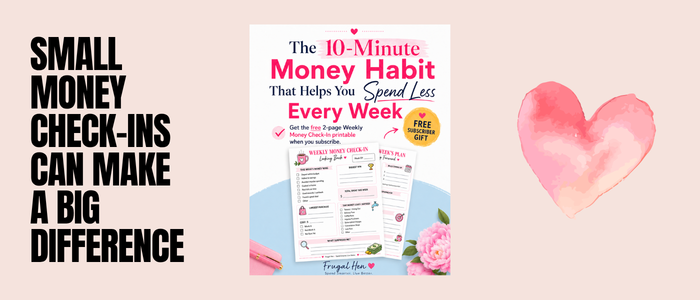
You don’t have to wait for a financial crisis to start paying closer attention to where your money is going. My free 2-page Weekly Money Check-In gives you a simple way to review your spending, see what’s coming up, and make adjustments before another week gets away from you.
If you found this helpful, follow Frugal Hen for more practical budgeting, saving, and smart-spending tips grounded in real life — not perfect-life finances.
And I’d love to hear from you. Have you ever had to completely rethink your budget because of a job loss, emergency, or unexpected expense? Share what worked for you in the comments. Your experience might help someone else who’s going through it right now.
Image Credit: © Golib via canva.com via Canva.com